
Why a Flash Drive Needs Its Own Slot
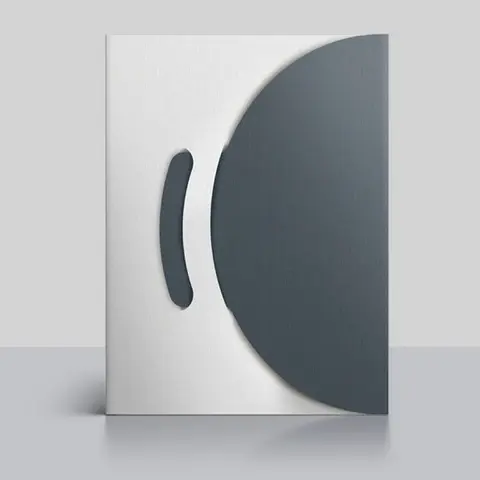
A loose flash drive slips to the bottom of a pocket and often falls out when the folder opens. A die-cut slot holds the drive by its body, so it stays in one place and is the first thing the reader sees. It also stops the drive from pressing a dent into the pages behind it.
Drives come in many shapes, from slim card styles to swivel and capless models. We cut the slot to fit the drive you supply or plan to buy. Send us its exact length, width and thickness, or mail a sample, and the die is drawn around it.
USB Folder Specs
| Spec | Options |
|---|---|
| Closed size | 9 x 12 in (229 x 305 mm); 6 x 9 in quoted |
| USB slot | Die-cut to your drive size and shape |
| Slot position | Right pocket, left pocket or inside cover |
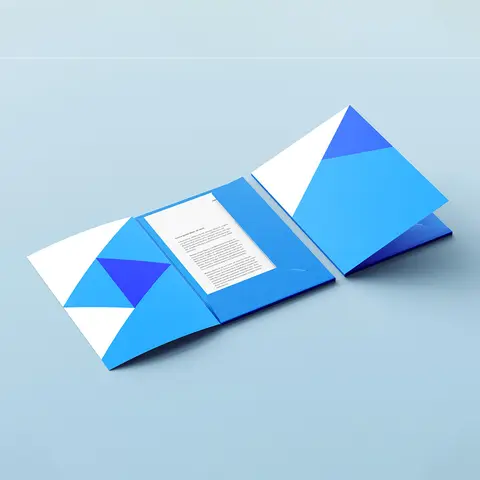
| Pockets | Two pockets, glued or folded |
| Stock | 14 pt or 16 pt C2S, 18 pt board, linen cover |
| Printing | Four-color process or Pantone; print on both sides |
| Finishes | Matte or soft-touch lamination, aqueous coating, foil |
| Other cuts | Business card slits, CD slits, die-cut window |
Planning the USB Slot Position
Most buyers place the slot on the right inside pocket, near the top edge. That keeps the drive clear of the fold and away from papers on the left. Some prefer the inside front cover, so the drive greets the reader before any page.
A slot holds best on stiff board. We suggest 16 pt C2S or 18 pt board for heavier metal drives. Lighter plastic drives sit well in 14 pt stock, which keeps the folder slim for mailing.
Think about how people pull the drive out, too. A small thumb notch beside the slot gives a fingertip room to grip the drive. We can add it to the same die at no change to the folder layout, and it shows on your proof.
Ordering USB Folders
- Measure your flash drive or send us a sample so the slot fits snugly.
- Choose where the slot sits and which pocket holds your papers.
- Pick a board weight that matches the drive's weight.
- Approve the free digital proof with the slot outline marked.
- Insert drives and documents, then deliver the folders to clients.
Files That Belong on a Drive
Video tours, large photo sets, design files and software are too big for email and too rich for paper. A drive in a printed folder lets you give them in person. Real estate agents load listing videos, architects add 3D models, and trainers share course files.
The printed pages still do the selling. Use the pockets for a summary, a price sheet or a signed agreement, and let the drive hold the detail. If you also need a disc option for older systems, our DVD presentation folders with disc slits use the same folder build.
Branding Around the Drive
Print a short line next to the slot, such as "Your project files" or "Start here", so the reader knows what to do. Match the folder colors to a branded drive for a clean, joined-up look. Pantone spot colors help both pieces agree.
Foil stamping or spot UV on the cover logo gives the folder a premium feel that suits a drive gift. Our paper stocks and finishes guide explains each coating so you can compare them before you ask for a quote.
Who Uses Flash Drive Folders
- Real estate agents sharing listing videos
- Architects and engineers handing over plans
- Photographers delivering full-resolution images
- Trainers giving out course materials
- Law firms sharing large document sets
- Sales teams leaving demos with prospects
USB Folders FAQs
Do you supply the flash drives?
We print the folder and cut the slot. You can source the drives from your usual promo supplier, and we size the slot to that model.
Will the drive fall out in the mail?
A slot cut to your drive's exact size grips it firmly. For mailing, heavier board and a snug fit keep the drive in place inside an envelope.
Can I have a USB slot and card slits together?
Yes. Many folders carry a USB slot on one pocket and business card slits on the other. We space the cuts so the pocket stays strong.
What if I change drive models later?
A new drive shape needs a new slot cut. Send the new drive size before you reorder and we update the die-line.
Can the slot go on a smaller folder?
Yes, if the drive fits the panel with room to spare. Our compact mini presentation folders can take a slim card-style drive.
Where on the folder can the USB slot go?
The slot can sit on the right pocket, the left pocket or the inside cover. Most clients put it on the pocket that holds the papers it relates to.
Which drive shapes fit a slot?
Card-style, swivel and capped drives all work if we have the exact size. Send a sample or the maker's measurements so the cut is snug.
Is heavier board needed for a metal drive?
A heavy drive pulls on a thin pocket. 18 pt board or 16 pt C2S with a glued pocket holds metal drives without sagging.
Can a window show the drive from the front cover?
Yes. A die-cut window on the cover can line up with the drive behind it. It gives the folder a clear hint of what is inside before it opens.
Can I print instructions next to the slot?
Yes. A short line such as what is on the drive can be printed beside the slot. Printing on both sides of the folder leaves room for it.